 Musse Buddy
What Musse Buddy does
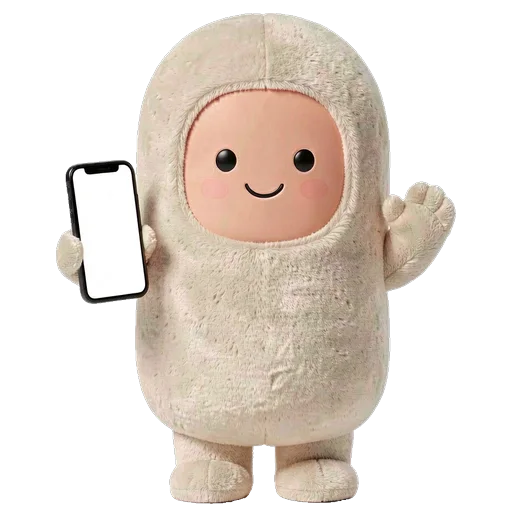
Musse Buddy has two halves that feed each other. The agent half turns a spoken or typed phrase into a mission you approve. The pet half gives you a character to feed, dress and talk to. Every finished mission earns a treat, so useful work keeps the pet happy.
Coming soon to iPhone
How are the features grouped?
The agent: missions with steps, approvals and per-connection permissions, plus memory that you can read and wipe.
The pet: pet care with food, energy, joy and bond, and characters and wardrobe with six originals, layered outfits and four voices.
Everywhere else: widgets and Live Activity on the Lock Screen and Home Screen, and CarPlay and Siri for the car and for hands-free use.
What is free and what is Buddy+?
The free version covers 10 missions, Mochi, Pip and Nimbus, starter outfits and the standard widget themes. Buddy+ adds unlimited missions, Ember, Luna and Bo, the full wardrobe with the crown and royal outfit, and extra widget themes. The app offers a 7-day free trial.
| Free | Buddy+ | |
|---|---|---|
| Missions | 10 | Unlimited |
| Characters | Mochi, Pip, Nimbus | All six |
| Wardrobe | Starter outfits | Full, with crown and royal |
| Widget themes | Standard | Extra themes |
What does Buddy never do?
It never pays for anything, never sends a message without your tap, and never starts a call for you. Web tasks open as search links or in a built-in browser, and you finish them yourself. The support page answers how this works in practice.
 AI Missions on iPhoneTurn one phrase into steps, approvals and a result. Buddy never pays and never sends without your tap.
 Musse Buddy in CarPlay and SiriA Dashboard widget with three quick actions and Siri phrases for hands-free missions.
 Pet Care in Musse BuddyFood, energy, joy and bond. Treats come from real tasks, and nothing ever dies.
 Six Original AI Buddies and a Layered WardrobeSix original characters, layered outfits, role looks and four voices. Change anytime.What Buddy KnowsA short memory list you can read, edit by deleting, and wipe. Stored on the phone.Widgets, Live Activity and Charm Mode for Musse BuddyLock Screen, Home Screen, Control Center, Live Activity and Charm mode.
Frequently asked questions
Which Musse Buddy feature should I try first?
Hold the talk button and say a real request, like a reminder for tonight. It shows the whole loop: mission, steps, your OK and a treat for your buddy.
Do I need Buddy+ to use the agent?
No. The free version includes 10 missions. Buddy+ removes that limit.
Do the widgets need internet?
No. Widgets read a snapshot that the app writes to your phone and do not use the network.
Keep exploring
AI Missions on iPhoneTurn one phrase into steps, approvals and a result. Buddy never pays and never sends without your tap.Pet Care in Musse BuddyFood, energy, joy and bond. Treats come from real tasks, and nothing ever dies.Six Original AI Buddies and a Layered WardrobeSix original characters, layered outfits, role looks and four voices. Change anytime.Widgets, Live Activity and Charm Mode for Musse BuddyLock Screen, Home Screen, Control Center, Live Activity and Charm mode.Musse Buddy in CarPlay and SiriA Dashboard widget with three quick actions and Siri phrases for hands-free missions.What Buddy KnowsA short memory list you can read, edit by deleting, and wipe. Stored on the phone.