 Musse Buddy
Widgets: your buddy one tap from talking
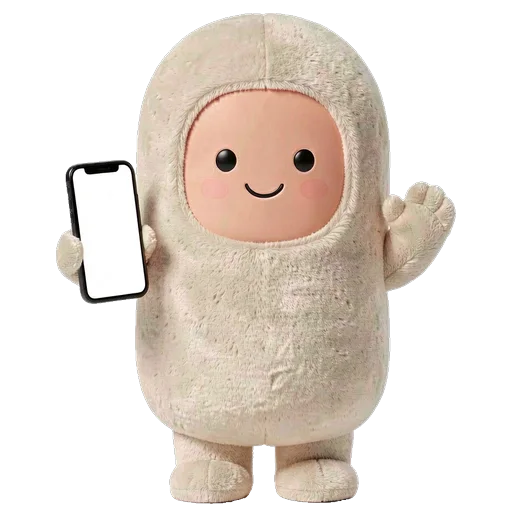
Musse Buddy puts your character on the Lock Screen and Home Screen, with quick-action buttons that start a mission without opening the app. A Control Center button opens the talk screen, a Live Activity shows progress while Buddy works, and Charm mode turns the phone into a keychain screen.
Coming soon to iPhone
Which widgets are there?
The small Home Screen widget also works in StandBy and on the CarPlay Dashboard (see CarPlay and Siri). Tapping a Lock Screen widget opens Buddy ready to listen.
| Where | Sizes | What it shows |
|---|---|---|
| Home Screen | Small, medium, large | Your buddy, mood, quick-action buttons, care buttons |
| Lock Screen | Circular, rectangular, inline | The buddy's face, last mission, counts of in progress, needs you and done today |
| Control Center | Button | Talk to Buddy, opens the talk screen |
| Live Activity | Dynamic Island and Lock Screen | Progress while Buddy works on a mission |
What are the quick actions?
Buttons on the widget that create a mission with one tap: Reminder, Note, Call, Message, Errand and Plan. The small widget shows the three quick actions you picked for the car, plus care chips for Pet, Feed and Sleep (or Wake) that work from the widget itself. The medium widget shows two quick actions, and the large one shows Reminder, Message, Note and Call.
How do I add a widget?
- Long-press the Home Screen, tap Edit, then Add widget, and choose Musse Buddy.
- For the Lock Screen, long-press it, tap Customize, then Add widgets.
- For the Control Center button, edit Control Center and add Talk to Buddy.
- Open Me, then Widgets in the app, to preview each size and tap its buttons.
Do widgets use the internet?
No. The app writes a snapshot of your buddy and your missions into shared storage on the iPhone, and widgets read that snapshot. There is no network call inside a widget. The snapshot lives in an App Group that only Musse Buddy and its widgets can read.
How do I change the widget look?
The app has six widget themes: Red, Yellow, Black, Grey, White and Night, plus a custom color picker with twelve swatches. The text color is chosen automatically so that it stays readable on any color you pick. White and Night belong to Buddy+.
What is Charm mode?
A full-screen black display with your character, styled like a keychain screen. Tap it to talk and swipe down to exit. Setup lists it next to Lock Screen, CarPlay and Siri as one of the places Buddy lives.
Which Lock Screen widget shows the least?
The circular widget shows only your buddy's face and mood. The inline one shows the buddy's name with a count, such as how many missions need you. The rectangular widget also shows the title of the last mission, so pick circular or inline if you prefer that nobody glancing at your Lock Screen sees what you asked for.
What does the Live Activity show?
While a mission is running, its title and progress (for example Step 2 of 4) appear in the Dynamic Island and on the Lock Screen. The status switches to Needs your OK when you must approve something, and to Done at the end. Missions are explained on the missions page.
Frequently asked questions
Does the Musse Buddy widget work in StandBy?
Yes. The small Home Screen widget is built for Home Screen, StandBy and CarPlay.
Can I start a mission from the Lock Screen?
Yes. Tap a Lock Screen widget or the Control Center button, and Buddy opens ready to listen.
Do widgets drain data or battery?
They make no network requests. They only read a snapshot saved on the phone.
Can I use my own widget color?
Yes. Pick a custom color from the twelve swatches and the text contrast adjusts itself.
Keep exploring
 Musse Buddy in CarPlay and SiriA Dashboard widget with three quick actions and Siri phrases for hands-free missions.
 Pet Care in Musse BuddyFood, energy, joy and bond. Treats come from real tasks, and nothing ever dies.AI Missions on iPhoneTurn one phrase into steps, approvals and a result. Buddy never pays and never sends without your tap.Musse Buddy FeaturesMissions, pet care, characters, widgets, CarPlay, Siri and memory in one place.Musse Buddy SupportSetup, permissions, widgets, CarPlay, Buddy+ and how to contact support.CarPlay Widgets on iOS 26Add widgets to the CarPlay Dashboard on iOS 26, plus a checklist for widgets that do not show.