 Musse Buddy
What Buddy knows: memory you control
Musse Buddy remembers a few things from your requests, such as that you train often or travel a lot. The list is short, readable and stored on your iPhone. A screen called What Buddy knows shows every item with a Forget button, and Reset app removes everything.
Coming soon to iPhone
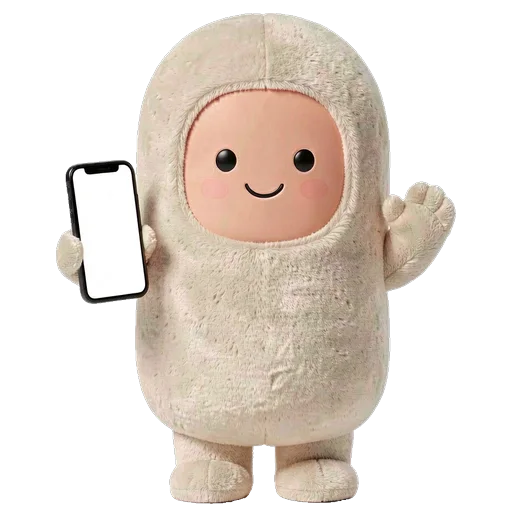
What does Buddy remember?
Not your messages. It recognizes seven topics in what you ask: fitness, travel, food, work, family, home and health. When a request matches a topic, Buddy stores a plain-language note such as "You train regularly" or "You care about food and coffee", with a count of how often it came up.
The matching works on keywords in both English and Russian, so it is a rough picture, not a profile built by a model.
Where is the memory stored?
On the phone, with your missions. You can open What Buddy knows from the Me tab, read each note and tap Forget. There are no hidden profiles. If the app is set up to ask a server for a better reading of a request, the short notes can travel with that request. The privacy policy lists exactly what is sent.
What is memory used for?
Mainly outfit suggestions. When one topic has come up at least twice, Buddy notices and offers a matching look: Athlete for fitness, Pilot for travel, Chef for food, Office for work and Handyman for home.
With Auto dressing on, the buddy can put that look on itself. See characters and wardrobe. When the app is connected to the developer's AI server, up to 20 notes are also sent as context with a request.
How do I delete what Buddy knows?
- Open the Me tab and choose What Buddy knows.
- Tap Forget on any note to remove it.
- To remove everything, open Me, then Settings, then Reset app. This wipes all app data on this iPhone.
What does Buddy not remember?
It does not build a picture of you from your contacts, calendar or photos. Contacts are searched only when you ask to call or write someone, and they stay on the iPhone. The app does not access your photo library. It does not record audio. What it keeps from your requests is limited to the missions you created and the topic notes described above.
If you want to see the whole picture, open the Missions tab for the missions and What Buddy knows for the notes. Between them they hold everything the app learned from you, and both live on the phone.
Is this different from cloud memory in other assistants?
It is a different design. A cloud memory sits on a server tied to your account and can follow you across devices. Buddy's memory is local, has no account behind it and does not sync. The trade is clear: you give up continuity across phones and get a list you can inspect and wipe yourself.
Does this make the agent smarter?
Not by much, and that is on purpose. The local parser that builds mission steps does not read the notes. They matter for outfit suggestions and, when a server is configured, as extra context for the AI model. The feature is built to be visible and deletable first. How missions work is on the missions page.
Frequently asked questions
Does Musse Buddy store my conversations?
Missions and the short memory notes stay on your iPhone. You can remove any note, or reset the app to remove everything.
Can I stop Buddy from remembering things?
You can delete any note with Forget. Notes return only if the same topic keeps coming up in your requests.
Does memory sync to other devices?
No. There is no account, and memory stays on the phone where you made it.
What are the memory topics?
Fitness, travel, food, work, family, home and health.
Keep exploring
AI Missions on iPhoneTurn one phrase into steps, approvals and a result. Buddy never pays and never sends without your tap. Six Original AI Buddies and a Layered WardrobeSix original characters, layered outfits, role looks and four voices. Change anytime.Musse Buddy Privacy PolicyNo account, no ads, no tracking. What is stored, what is sent and how to delete it.Musse Buddy SupportSetup, permissions, widgets, CarPlay, Buddy+ and how to contact support.Musse Buddy FeaturesMissions, pet care, characters, widgets, CarPlay, Siri and memory in one place.AI Personal Assistant App for iPhoneWhat assistant apps can do on iPhone, what iOS blocks, and how to pick one.