 Musse Buddy
Virtual pet apps for iPhone: what they are and how to choose
A virtual pet app for iPhone gives you a digital creature to feed, play with and put to bed. The idea comes from the Tamagotchi of 1996. A good one is gentle about missed days, works offline, respects notifications and does not turn every need into a purchase.
Coming soon to iPhone

What is a virtual pet?
A virtual pet, also called a digital pet, is a program that acts as a companion in place of, or next to, a real animal. Wikipedia describes the common pattern: if the pet has a goal, you must keep it alive as long as you can and help it grow, and doing that usually means feeding, grooming and playing with it (Wikipedia: Virtual pet).
The pet has no body other than the hardware it runs on. On an iPhone, that hardware is a screen in your pocket, which makes the pet unusually good at one thing: asking for attention several times a day.
Where did virtual pets come from?
The best-known origin is the Tamagotchi, a brand of handheld digital pets from the Japanese toymaker Bandai. The original was released in Japan in 1996 and worldwide in 1997. Most models are small egg-shaped devices with three buttons, and the goal is to raise the pet through its life stages. The name combines the Japanese words for egg (tamago) and watch. As of 2025 Wikipedia reports more than 98 million units sold (Wikipedia: Tamagotchi).
The Tamagotchi was not alone. Wikipedia also lists simulations of real animals, such as the Petz series, and fantasy ones, such as Digimon. Since then the same loop of need, care and reward has moved to phones, where it needs no extra device to carry.
What kinds of virtual pet apps exist?
They fall into three rough groups. Knowing which one you want saves you from installing and deleting five apps.
| Type | What you do | Good for | Watch out for |
|---|---|---|---|
| Care simulation | Feed, clean and play on a schedule | Nostalgia, short daily sessions | Frequent notifications and pressure to buy items |
| Companion chat | Talk to a character | Company, practice talking | Where your messages are stored and who reads them |
| Pet plus tool | Care for a pet that also does a job | People who want one app, not two | Whether the tool part actually works |
How do I choose a good virtual pet app?
Look at how the app treats you when you are away, how it uses notifications and what it asks in return. A few concrete checks help more than screenshots do.
- Find out what happens when you miss a day. A pet that gets a little sad is fine. A pet that dies or loses progress will make you feel guilty, which is a design choice and not a sign of a good game.
- Check whether it works offline. A pet that only lives on a server cannot be cared for on a plane or in a tunnel.
- Read the notification settings. You should be able to turn reminders off without losing the pet.
- Look at the store page for the privacy label, and check whether you need an account.
- See what is paid. Cosmetics are one thing. Paying to keep the pet alive is another.
Should a virtual pet be able to die?
It depends on what you want. The classic Tamagotchi loop leans on the stakes: forget about the pet and it dies, which taught a generation to check a toy on the way to school. Many people still enjoy that tension.
Others want a companion that is there when they come back. Pets in that second group usually have a floor for their mood. They can be sleepy, hungry or bored, but they are not lost. If you are buying for a child, or you know you are forgetful, the second kind avoids a lot of upset.
Can a pet do something useful?
Some apps try to tie the pet to a real habit, such as a to-do list or a routine. The idea is that caring for the pet pulls you into the app, and the app then helps with something that matters. This works only if the useful part is real, and if the care part does not feel like another chore on top of the first list.
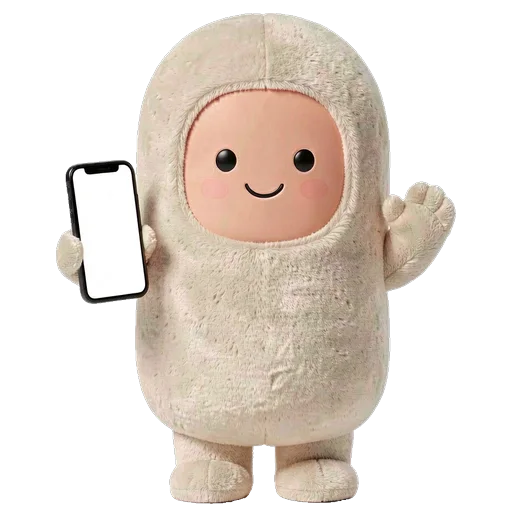
Musse Buddy is built on that idea. It is an AI agent for reminders, texts, plans and goals, wrapped in a character. Your buddy has food, energy and joy bars, a bond level and a mood. The treats you feed it come from finishing missions, so the pet is rewarded by the things you actually did. The pet cannot die, and the worst mood is sulky after about two days away. The details are on the pet care page, and the missions page explains the agent side.

What about privacy with a pet that learns about me?
Companions that talk to you collect conversations by definition. Ask where the words go. Is the processing on the phone or on a server? Is there an account? Can you delete what the pet has learned?
In Musse Buddy the memory is a short list of topics such as fitness or travel, stored on the phone, with a Forget button on every item. The app has no account and no ads. Read the exact rules in the privacy policy.
A short checklist before you install
If an app passes most of these, it is probably built for you and not for retention metrics. For a look at six original characters and what can be changed about them, see characters and wardrobe.
- Does it work without a connection?
- Can I turn off notifications and keep the pet?
- What happens when I forget it for a week?
- Is an account required?
- Which things are paid, and are they only cosmetic?
- Can I export or delete my data?
Frequently asked questions
What is the best virtual pet app for iPhone?
There is no single best one. Pick by the type you want: a care simulation for nostalgia, a companion chat for conversation, or a pet with a real tool attached. Then run the checklist above.
Is there a Tamagotchi app for iPhone?
Search the App Store for the official brand apps from Bandai. Whatever you choose, check the privacy label and what is paid before you install.
Can a virtual pet die?
In many classic ones, yes. In others, no. Musse Buddy's pet cannot die. The worst mood is sulky, and it goes away when you return.
Do virtual pet apps work offline?
Some do and some do not. Check for a server requirement. Musse Buddy's pet state is calculated on your phone and works without a connection.
Are virtual pet apps safe for kids?
Check the age rating, in-app purchases and whether an account or chat is involved. For young children, a pet that cannot die and has no chat is easier to manage.
Keep exploring
Pet Care in Musse BuddyFood, energy, joy and bond. Treats come from real tasks, and nothing ever dies. Six Original AI Buddies and a Layered WardrobeSix original characters, layered outfits, role looks and four voices. Change anytime.
 What Is an AI Agent? A Plain Explanation with ExamplesA plain-language definition of an AI agent, how it differs from a chatbot and where the limits belong.AI Personal Assistant App for iPhoneWhat assistant apps can do on iPhone, what iOS blocks, and how to pick one.AI Missions on iPhoneTurn one phrase into steps, approvals and a result. Buddy never pays and never sends without your tap.GuidesGuides on virtual pets, AI assistants and agents, and CarPlay widgets.